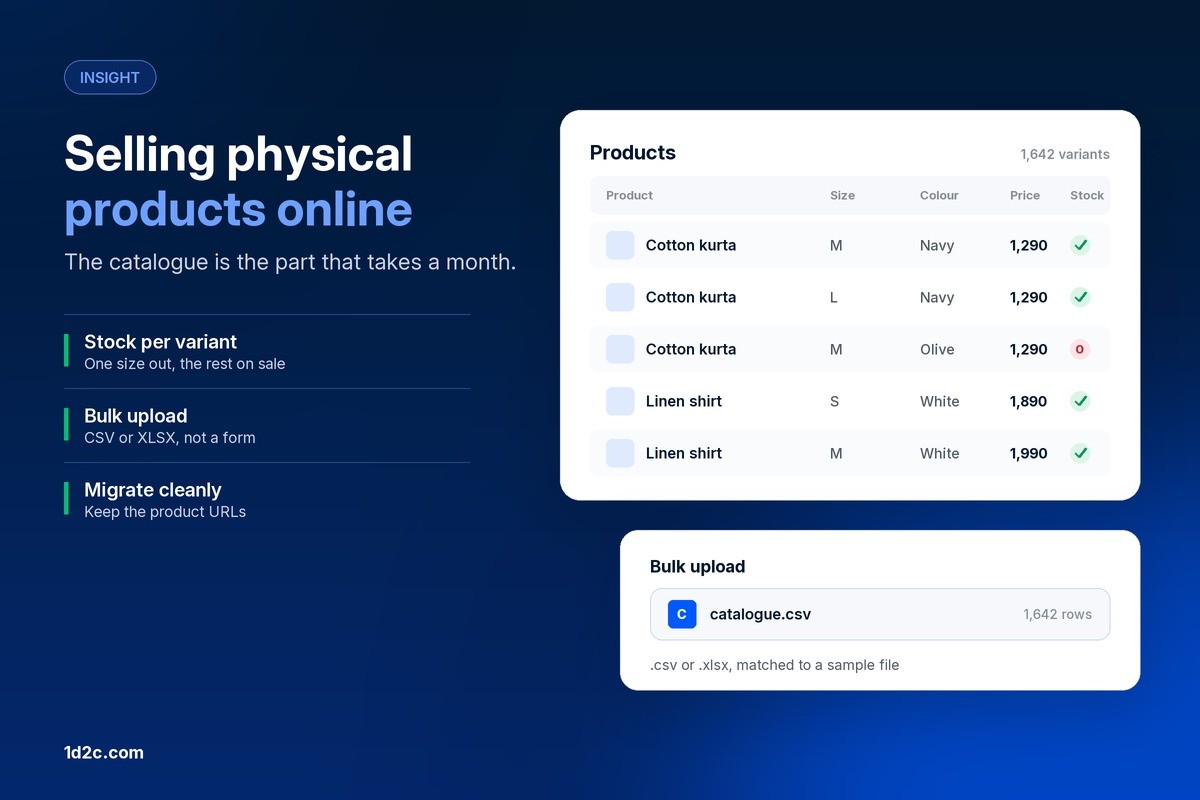


The boost worked. It bought exactly what it was asked to buy. Nobody asked it for sales.
Every week the same thing happens. A reel does well, the Boost button appears underneath it, and tapping it feels like the obvious next move. Six taps later the money is spent, the likes arrive, and the sales report at the end of the month looks exactly like the month before.
The boost worked. It bought what it was asked to buy. The problem is that nobody asked it for sales, and on an iPhone, a chunk of the budget never reached the auction at all.
Here is what the same money does in Meta Ads Manager instead.
Thirty percent, before anything else happens
Start with the part that is pure arithmetic, because it costs nothing to fix.
When you boost inside the Instagram iOS app, the payment goes through the Apple App Store, and an Apple service fee is added. Meta's own help page is blunt about the size of it: boosting on instagram.com "allows you to save 30% on your total ad payment, before any applicable taxes and local fees", and once you boost from the web, Business Suite or Ads Manager, "your ad will be delivered to your audience in the same way as when boosting from the Instagram app".
Read that twice. Same ad, same audience, same delivery, and three in every ten rupees or dollars you were spending went to a fee rather than to reach.
There is a second cost that shows up later. For in-app purchases, Meta says it "will not separately issue you with an invoice for Meta ads purchased via Apple's in-app purchase", so your ad spend arrives as an Apple receipt. Anyone who has tried to reconcile that against a tax return, or claim input credit on it, has met this problem already.
Boosting from a browser fixes both, and it is the one change in this post that takes a minute. Everything below is about what you do with the thirty percent you just got back.
Boosting optimises for the wrong finish line
A boost is an ad with most of the controls removed. Meta describes what it is for: boosted posts help you "get more messages, video views, leads or calls", and reach people likely to be interested in your Page.
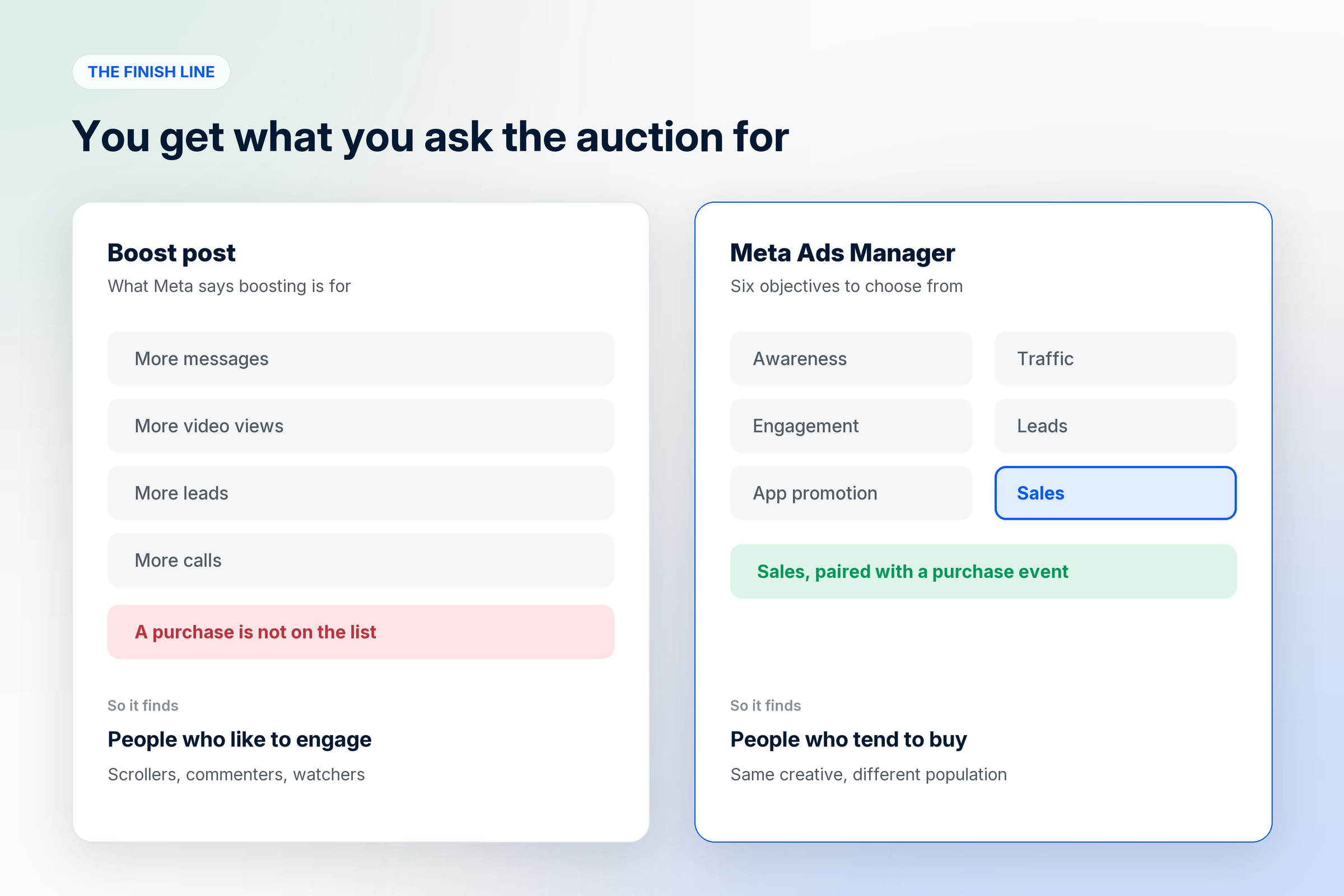
Notice what is missing from that list. A purchase.
Meta's delivery system is extremely good at producing the exact outcome you request, which is why this matters more than it sounds. Ask for engagement and it will find the people most likely to engage, who are disproportionately people who like scrolling, commenting and watching, and not people reaching for a card. Cheap engagement is the campaign succeeding at a goal nobody should have chosen.
Ads Manager asks a different question at the start. It offers six objectives: awareness, traffic, engagement, leads, app promotion and sales. Picking sales, and pairing it with a purchase event coming back from your website, changes which humans the auction shows your ad to. Same creative, same budget, different population.
This single change is usually worth more than every targeting tweak people argue about.
The audience you already own
A boost largely reaches strangers. Your best buyers are not strangers.
Ads Manager lets you build custom audiences from your own data: people who visited the site through the Meta pixel, a customer list you upload, people who interacted with your catalogue, people who watched your videos, people who opened a lead form, people who have engaged with your Instagram account, and people who browsed or bought from your shop. From any of these you can build a lookalike, and you can exclude lists too.
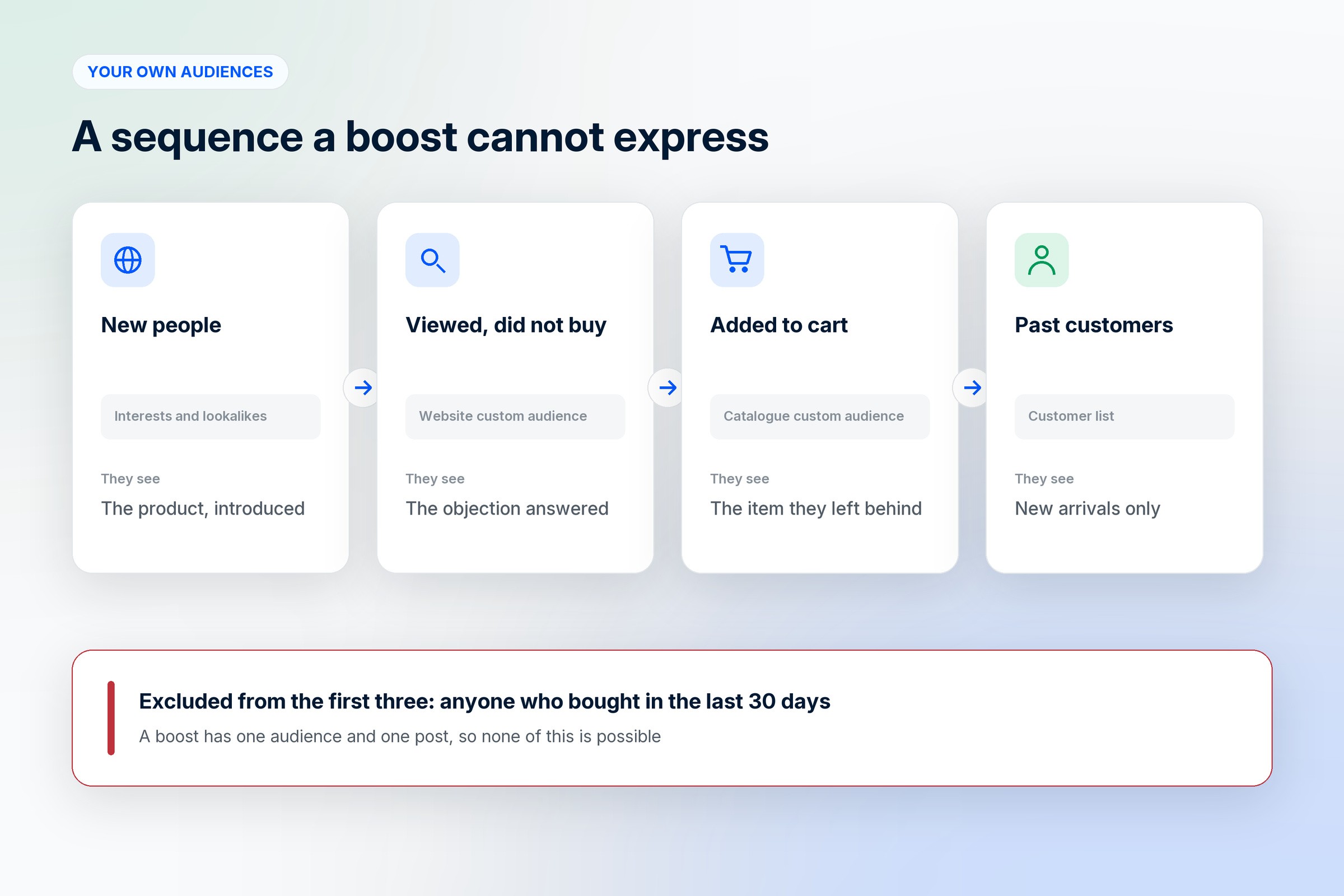
That last one quietly saves money. Excluding people who bought in the last thirty days stops you paying to sell a sofa to someone who bought it on Tuesday.
The sequence most brands never run looks like this. New people see the product. The people who viewed it and did not buy see it again with the objection answered. The people who added to cart see it a third time. Past customers see the new arrivals and nothing else. A boost cannot express any of that, because a boost has one audience and one post.
Testing properly instead of switching things on and off
Most brands test by running one ad for a week, pausing it, running another, and comparing. Meta explicitly advises against this. Their guidance says they "do not recommend testing informally, such as by turning ad sets or campaigns on and off manually", because it "can lead to inefficient ad delivery and unreliable test results".
The A/B test in Ads Manager splits the audience so nobody sees both versions and the two halves are comparable. You change one variable, the creative or the audience or the placement, and get an answer you can act on.
Without that, you are reading noise. Two posts boosted in different weeks differ by weather, payday, a festival, a competitor's sale and whatever else happened. People make real budget decisions on those comparisons every month.
Every boost starts from scratch
Delivery systems need data before they get efficient. An ad set usually needs around fifty results in a week to leave the learning phase and deliver stably.
A boost is a short, small, self-contained campaign. It starts cold, spends most of its life learning, and ends before it knows anything. Then the next boost starts cold again. Six boosts of ₹2,000 are six cold starts. One campaign at ₹12,000 accumulates, and the account keeps what it learned.
This is the compounding part of the argument, and it is why the gap between the two approaches widens over months rather than showing up on day three.
Where the money actually goes, on the same budget
Put the two side by side on an identical spend.

Boosting from the phone: thirty percent to Apple, the remainder optimised towards engagement, one audience of mostly strangers, no exclusion of recent buyers, a fresh cold start every time, and results you compare between weeks that are not comparable.
Ads Manager: the full budget in the auction, optimised towards purchases, a retargeting audience built from your own traffic, recent buyers excluded, one campaign that keeps learning, and tests that answer a question.
Nothing in the second column costs extra. It is the same money, routed differently.
What you give up
Honesty is worth more here than a clean argument.
Boosting is faster. Six taps against twenty minutes of setup, and no account structure to maintain.
Ads Manager has a real learning curve. The first week is confusing, and it is possible to set up a campaign that spends badly, which a boost makes harder to do.
Boosting also needs no tracking setup. Optimising for purchases requires the pixel and ideally the Conversions API to be working, and if they are not, the sales objective has nothing to optimise towards and you are better off fixing that first.
When boosting is the right call
There are three cases where tapping Boost is a reasonable decision.
You are testing whether a piece of creative holds attention at all, with a small amount of money, before building a campaign around it.
You want a local, short-term result, like filling an event this weekend.
You genuinely want the engagement, for example on a post that is doing the work of social proof and would benefit from more people seeing it.
Even then, boost from instagram.com rather than the app. There is no reason to pay the fee for the same delivery.
A plan for next month on the same budget
Keep the number identical, and change where it goes.
Move payment to the browser or to Ads Manager, which recovers thirty percent on day one.
Install the pixel and the Conversions API so a purchase can be measured, and check in Events Manager that purchases are actually arriving.
Run one sales campaign to new people, with your best three pieces of creative in one ad set.
Run one retargeting campaign to site visitors from the last thirty days, excluding people who bought.
Leave both alone for two weeks, since edits reset learning, then compare cost per purchase against the month of boosting.
Measure the whole thing on revenue and cost per purchase. The engagement numbers will probably look worse, and that is the trade you are making on purpose.
Frequently asked questions
What is the difference between boosting an Instagram post and using Meta Ads Manager?
Boosting turns an existing post into a simple ad with most controls removed, aimed at messages, video views, leads or calls. Ads Manager builds a campaign from scratch with six objectives including sales, custom and lookalike audiences, exclusions, placement control and proper A/B testing.
Why does boosting on the Instagram app cost more?
Because the payment goes through the Apple App Store and an Apple service fee is added. Meta's help centre says boosting on instagram.com instead saves 30% of your total ad payment before taxes and local fees, and that the ad is delivered the same way either way.
How does Ads Manager increase sales at the same ad spend?
By changing the outcome it optimises for and who it reaches. A sales objective with a purchase event shows your ad to people likely to buy rather than people likely to engage, retargeting reaches people who already looked, excluding recent buyers stops wasted impressions, and one continuous campaign keeps the learning instead of restarting with every boost.
Who should still use the boost button?
Anyone testing whether a piece of creative holds attention, promoting something local and short-term, or deliberately buying engagement on a post that works as social proof. Boost from a browser rather than the app in all three cases.
When should a brand move from boosting to Ads Manager?
Once there is a website with a working pixel and enough budget for a campaign to gather around fifty results a week. Below that, the learning phase never completes and the extra controls have little to work with.
Where do I boost without paying the Apple fee?
On instagram.com in any browser, in Meta Business Suite, or in Meta Ads Manager. You can also add prepaid funds to the ad account from a computer and spend those inside the app.
Where to go from here
If you are setting up properly for the first time, we wrote a step-by-step guide to Meta ads for D2C brands covering the pixel, the account structure and the first month. If your ads already run but the leads are poor, the fixes are in Meta ads lead quality. For how paid fits with the organic side, there is social media and ads for ecommerce.
1D2C connects the store, the catalogue and the apps to Meta, so purchase events reach the ad account and campaigns can optimise against real orders rather than clicks. Our marketing plans include managed campaigns and the creative in them, and they are on the pricing page.
The Apple service fee, the boosted post goals, the Ads Manager objectives, the custom audience types and the A/B testing guidance above were taken from Meta's own Business Help Centre pages in October 2026. Meta changes these often, so check the current pages before you plan a budget.