


Fewer screens to switch between, fewer defaults you cannot change, and fewer places where the software assumed a shape your business does not have.
Version 2.4 covers four months of work, from July to October 2026. Thirty-nine changes went out across store setup, storefront design, the catalogue, checkout and order management, and the October highlights run through 24 October 2026.
It is a release about control. More of the storefront is yours to shape, more of the catalogue bends to how your category actually sells, and more of what happens after an order is visible without opening three screens.
What follows is the detail, grouped by the part of the business each change touches rather than by the month it shipped. If you track versions by date, there is a month-by-month list further down.
Where the changes landed
Five areas, with the weight of the release in storefront design and in order management.

Store setup. Three changes, aimed at the first week, which is when most store configurations stall.
Storefront design. Eleven changes, the largest group, covering AI assistance, new section types, video, dark mode and per-tab styling.
Catalogue and product pages. Eleven changes, most of them about variants and how products are browsed.
Checkout and business ordering. Seven changes, including an additional payment integration and the details that make a company purchase possible.
Orders and delivery. Six changes, which together turn fulfilment into one workspace rather than several screens. One more change, smoother admin scrolling, sits outside all five.
A clearer start for new stores
Setting up a store is a long list of small decisions, and the previous flow left owners guessing which one came next.
The dashboard is now a guided setup screen. Setup steps and progress sit together on the home screen, so you can see at a glance what is finished and what is still waiting. For a new store this replaces the most common question of the first week, which is simply "what now".
Step-by-step setup panels break configuration into focused pieces. You can stop halfway through, come back the next day and pick up in the same place, which matters when the person setting up the store is also running the business.
A recent activity card gives a quick read of what has happened in the store lately. It is a small addition that saves the daily hunt through separate screens to find out what changed.
Storefront design you can actually direct
This is the largest group in 2.4, and the point of it is that a store should look like your brand rather than like a template.
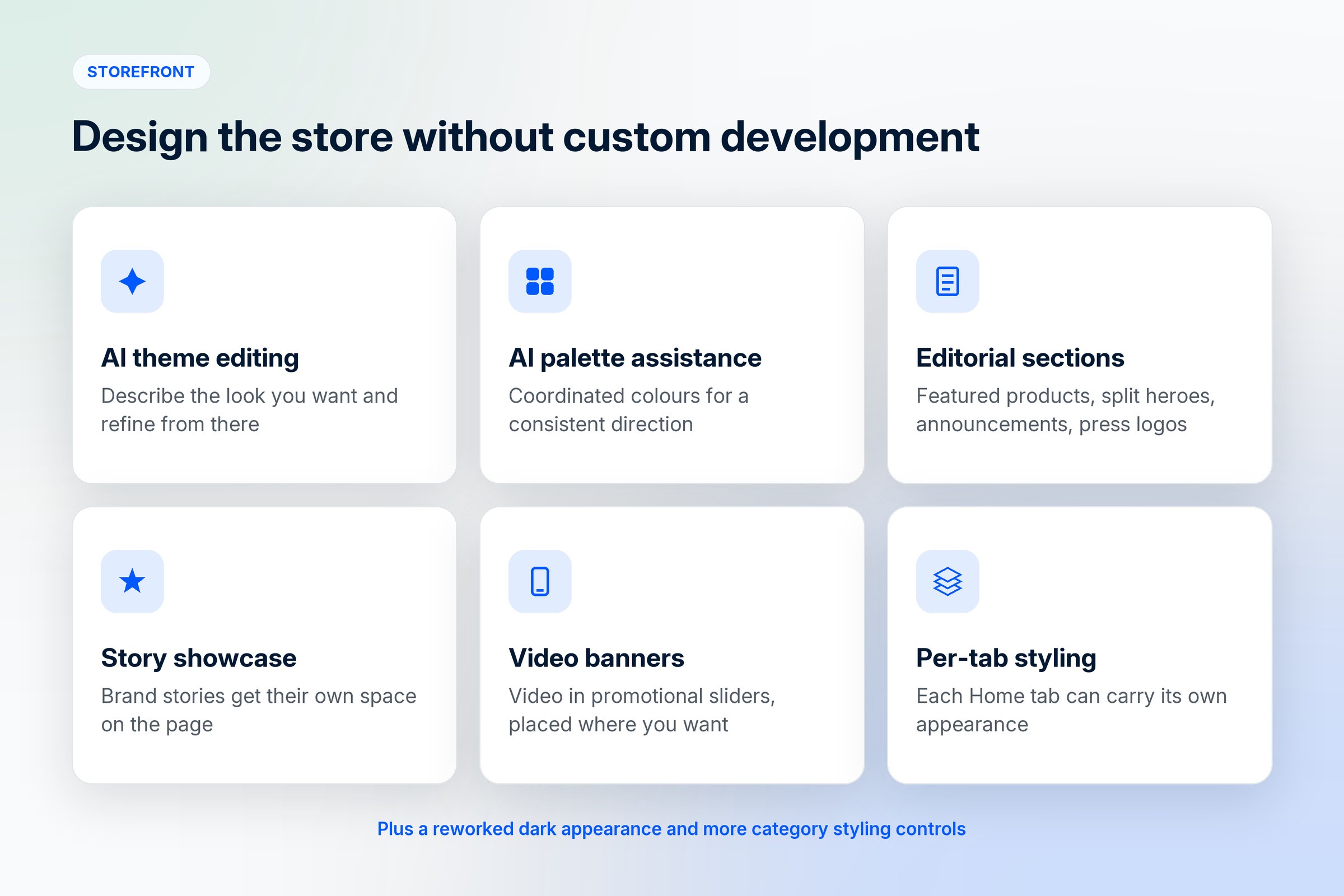
AI-assisted theme editing lets you describe the look you want and refine the storefront's appearance from that description. It is editing assistance rather than a replacement for the editor, so the result stays under your control and you can keep adjusting by hand.
AI palette assistance does the same job for colour. It suggests coordinated sets so the store holds one visual direction, which is the thing most self-built stores get wrong. Mismatched colours read as amateur faster than almost any other design mistake.
Editorial homepage sections give you more than a grid of products. Featured products, split heroes, announcement strips, newsletter signup blocks, press logos and video banners are all available as sections, so a homepage can tell a story instead of listing stock.
A story showcase section gives brand stories and visual content their own space on the storefront, which is useful for brands whose reason to buy is the making rather than the specification.
Video banners add video to promotional sliders. Flexible banner placement means those sliders sit where your layout wants them rather than where the theme assumed, so a slider can sit below the categories instead of always at the top.
The dark appearance has been reworked, with clearer text, surfaces and controls. If your storefront runs dark, this is the difference between a design choice and a readability problem.
Independent Home tab styling lets each Home tab carry its own page appearance while shared branding stays intact. A seasonal collection tab can look different from the everyday range without splitting the brand.
More category styling controls, plus adjustable category grid proportions and a personalised All tab, let category presentation match the catalogue. Square tiles suit some ranges and wide ones suit others, and 2.4 stops forcing the choice.
Products that match how your category sells
Variant display took most of the attention here, because variants are where catalogues usually look worst.
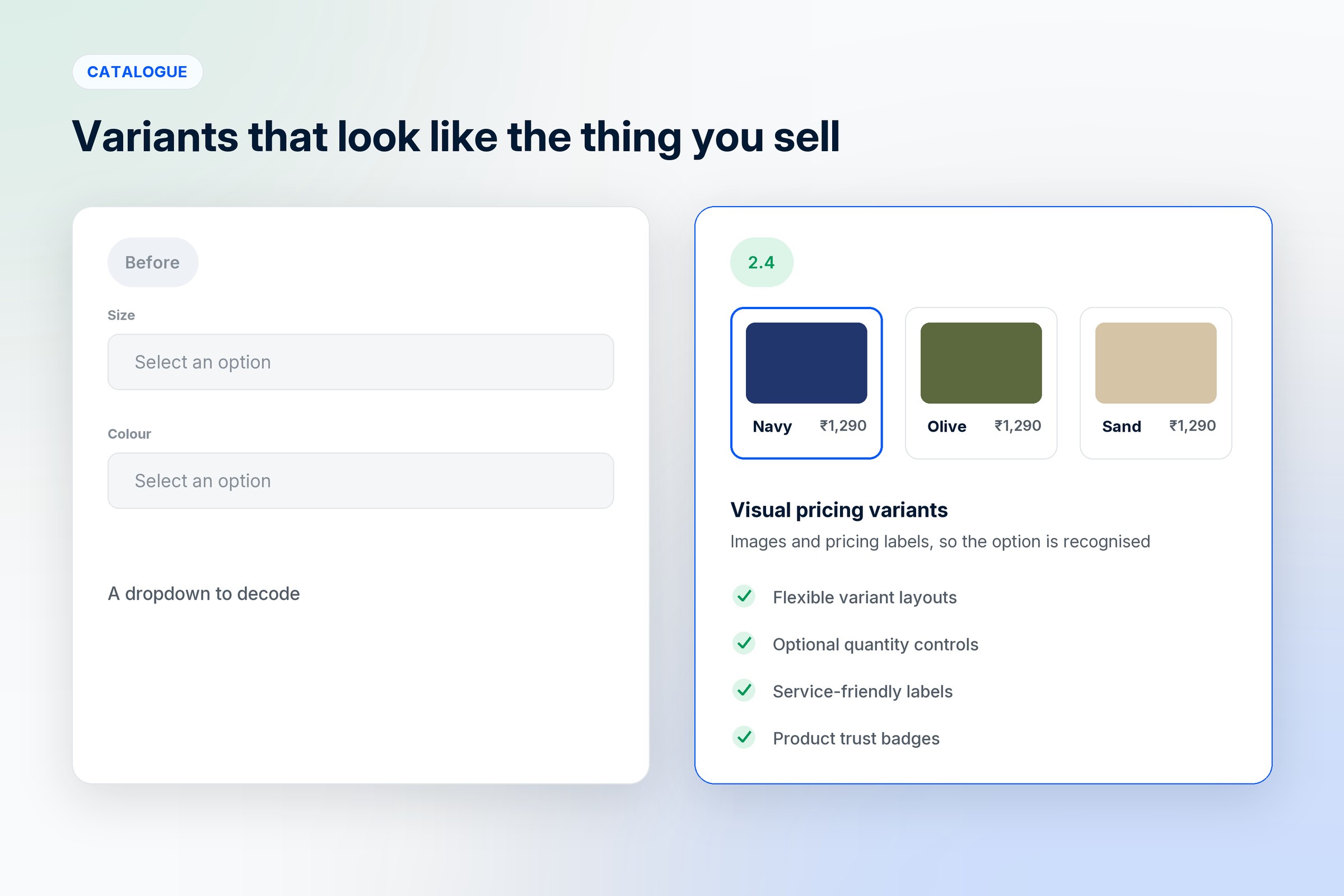
Visual pricing variants show variant images and pricing type labels, so a buyer recognises the option they want instead of decoding a dropdown. For anything where colour or finish matters, this is the single biggest change in the release.
Flexible variant layouts adjust variant presentation and sizing to suit different catalogues, and variant presentation has been refined so comparing options is easier.
Optional quantity controls let you hide the quantity selector on listings where it makes no sense. Nobody orders three of a bespoke consultation.
Service-friendly wording tailors product and action labels for appointment and service-based stores, so a booking does not read like a shipment. This is the kind of detail that decides whether a service business can use an ecommerce platform at all.
Product trust badges put reassuring information directly on the product page, at the point where hesitation actually happens rather than three clicks away.
Vehicle registration lookup lets shoppers look up vehicle details, which supports stores where parts and products are matched to a specific vehicle. For an auto parts catalogue, fitment is the whole purchase decision.
On browsing, product links are cleaner and more readable, which makes listings easier to share and friendlier to search engines. Product images open in a dedicated viewer for a closer look, and gallery gestures are smoother on touch devices, which is where most of your traffic is.
Checkout, payments and business buyers
Razorpay checkout is integrated as an additional online payment option in store payment settings, alongside the existing options.

Payment reconciliation is clearer, with improved order and payment handling so a buyer can follow the result of checkout more reliably. The uncertain minute after paying is a common source of support messages, and this reduces it.
Address selection has improved, with better address management and location lookup when choosing a delivery destination.
For business buyers, four changes matter together. Purchase order numbers can be attached at checkout, which is often the detail that decides whether a company is allowed to buy from you. Order views surface buyer tax information, payment mode and a clearer tax breakdown. HSN code entry has autocomplete, removing a slow and error-prone step for catalogue teams. Invoice visibility is controllable, with availability that takes fulfilment state into account, so invoices appear when they should rather than whenever.
Taken together, these are the pieces that move a store from selling to individuals to selling to companies.
Orders, fulfilment and delivery
Fulfilment moved into the order workspace instead of living beside it.
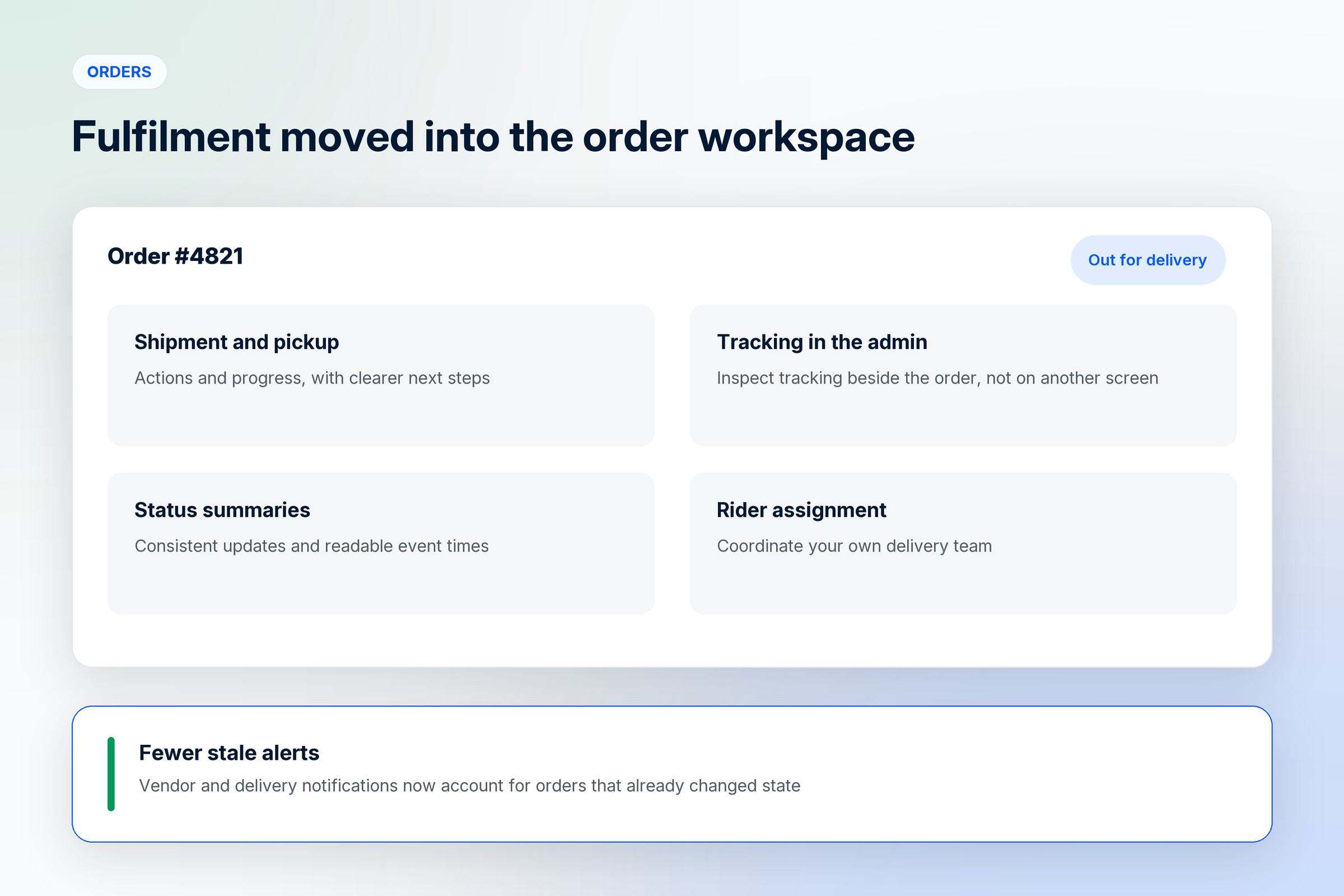
Shipment and pickup controls sit with the order, with clearer next steps, so the person handling an order can see what to do without knowing the system.
Shipment tracking is visible in the admin panel. Tracking information sits alongside the order rather than on a courier's site in another tab.
Order status summaries are more consistent for both teams and buyers, with event times that are easier to read.
Vendor and delivery notifications now account for orders that have already changed state. Stale alerts are the reason teams stop reading notifications, so fewer of them is worth more than it sounds.
Rider assignment controls have improved for teams coordinating their own delivery fleet, and a dedicated mobile admin experience means the store can be managed from a phone, which is where most urgent order decisions actually get made.
Smaller changes worth knowing about
AI-assisted category and attribute editing extends creative assistance into catalogue setup, not only the storefront.
More product and cart styling controls let you refine pricing, cards and cart presentation so the shopping journey stays visually consistent from listing to checkout.
Smoother admin scrolling makes long admin screens more comfortable, which sounds trivial until you spend an afternoon in one.
Released by month
For anyone tracking versions by date rather than by area.

July 2026. Visual pricing variants, flexible variant layouts, optional quantity controls, service-friendly wording, video banners, flexible banner placement, category grid proportions, purchase order numbers, clearer order tax and payment details, HSN code assistance, invoice visibility controls.
August 2026. AI-assisted theme editing, AI palette assistance, editorial homepage sections, story showcase section, Razorpay checkout, clearer payment reconciliation, improved address selection, delivery partner management, mobile admin access.
September 2026. Readable product links, expanded product image viewing, improved gallery gestures, refined variant presentation, more product and cart styling controls, AI-assisted category and attribute editing, smoother admin scrolling.
October 2026. Guided setup dashboard, step-by-step setup panels, recent activity card, improved dark appearance, independent Home tab styling, more category styling controls, product trust badges, vehicle registration lookup, shipment and pickup controls, shipment tracking in the admin panel, clearer order status summaries, fewer stale order alerts.
Who gets the most out of 2.4
New stores get the guided dashboard and the step-by-step panels, which is where the time goes in week one.
Brands with awkward catalogues get the variant work. Visual pricing variants, adjustable layouts and optional quantity controls handle the cases a generic product page renders badly.
Service and appointment businesses get labels that read correctly instead of shipping language on a booking.
Businesses selling to other businesses get purchase order numbers, the clearer tax breakdown, HSN autocomplete and invoice controls.
Anyone running their own delivery gets the shipment, pickup, tracking and rider assignment changes together, which is the first release where those feel like one workflow.
Design-led brands get the AI theme and palette assistance, the editorial sections and the story showcase, which is the set that makes a store look deliberate.
How to turn it on
Most of 2.4 is already there. The storefront changes appear in the editor, the catalogue changes in product setup, and the order changes in the order workspace.
Three things need a deliberate decision. Razorpay has to be connected in store payment settings. Invoice visibility is a setting, so choose when buyers should see invoices. The AI theme and palette assistance is opt-in by nature, since nothing changes until you describe what you want.
If you are mid-setup, the guided dashboard will pick up where you left off.
Frequently asked questions
What is new in 1D2C version 2.4?
Thirty-nine changes across five areas: guided store setup, AI-assisted theme and palette editing, editorial homepage sections and video banners, visual pricing variants and flexible variant layouts, Razorpay checkout, purchase order numbers with a clearer tax breakdown, and shipment, pickup, tracking and rider assignment controls inside the order workspace.
When was 1D2C 2.4 released?
It covers work from July to October 2026, with October highlights running through 24 October 2026. Changes shipped across the period rather than in a single drop, so most are already live in your store.
Why does 2.4 focus so much on storefront design?
Because the storefront is where a brand is judged, and too much of it was previously fixed. AI theme and palette assistance, editorial sections, video banners and per-tab styling exist so a store can look like itself without custom development.
How does the AI theme editing work?
You describe the look you want and use the AI assistance to refine the storefront's appearance, with palette assistance suggesting coordinated colours. It is editing help rather than an automatic redesign, so you keep control of the result and can adjust by hand afterwards.
What changed for product variants?
Visual pricing variants show variant images and pricing type labels instead of a plain dropdown, variant layouts and sizing are adjustable, variant presentation has been refined for easier comparison, and the quantity selector can be hidden on listings where it does not apply.
Who benefits most from the business ordering features?
Brands selling to companies. Purchase order numbers at checkout, buyer tax information, payment mode, a clearer tax breakdown, HSN autocomplete and controllable invoice visibility are the details that make a business purchase possible rather than awkward.
Do I need to do anything to get these updates?
Most changes are already available. Razorpay needs connecting in payment settings, invoice visibility is a setting to choose, and the AI assistance only acts when you ask it to.
Where can I see the full 2.4 release notes?
The complete list, including the month-by-month breakdown, is on the 1D2C What's New wiki page, which is the source for everything described here.
Where to go from here
If you are new to the platform, the quickest overview is what 1D2C is built for in our D2C ecommerce builder guide. For the catalogue work specifically, selling physical products online covers variants and bulk import in more depth. If you are weighing platforms, there is the comparison with Shopify.
Plans and regional pricing are on the pricing page.
Everything above is taken from the 1D2C What's New wiki for version 2.4, covering July to October 2026.


