


An online store builder does the coding for you. It cannot decide your prices, take your product photos or write your returns policy, and those are what buyers notice first.
An online store builder is software that lets you build your own online store without writing code: you pick a design, add your products, connect payments and delivery, and publish a store that takes orders. Most online store builders run in the browser, host the store for you and charge a monthly plan.
This guide walks through what you actually do inside one, in the order that saves the most rework. If you are still comparing tools, start with our guide to choosing an ecommerce website builder and come back here when you have picked one.
What an online store builder does for you
Building an online shop from scratch means a developer, a server, a payment integration, security updates and months of work. An online store builder packages all of that, so the work left to you is the part only you can do: your products, prices, photos and policies.
Hosting and security: the store runs on the builder’s servers, with an SSL certificate so the address shows the padlock.
Design: ready-made themes you customise with your colours, fonts and logo, without touching code.
Catalogue: product pages with photos, variants such as size and colour, prices and stock.
Checkout: cart, payment gateway, order confirmation and invoices.
Operations: orders, delivery, returns and customer records in one dashboard.
Some online store builders stop at the website. Others, including 1D2C, also give you your own Android and iOS shopping apps and the tools to run delivery, which matters if you plan to sell to repeat buyers on their phones.
What you need before you build your online store
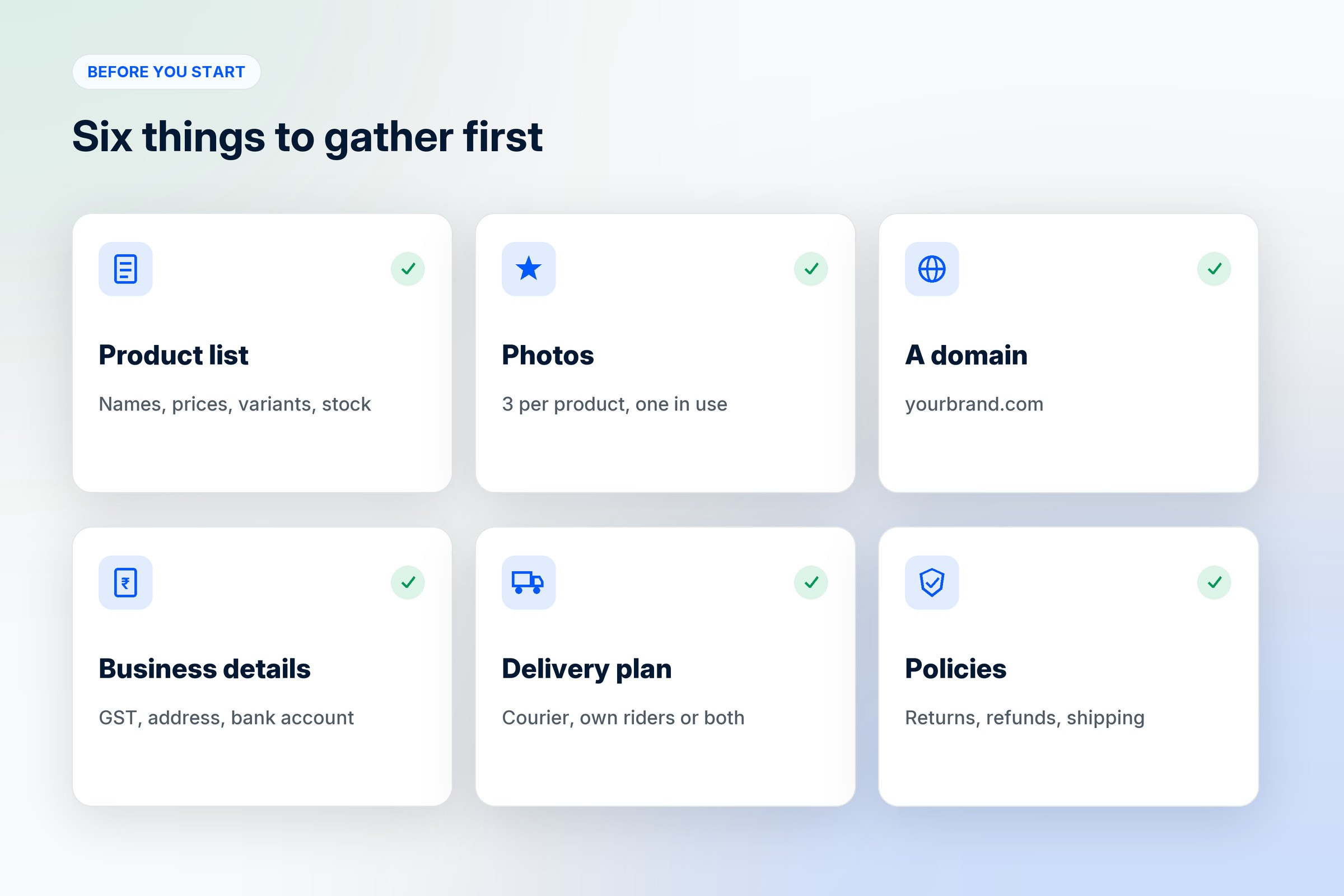
Whether you want to build an online shop for ten products or build your ecommerce store for a thousand, gathering these first turns a week of stop-start setup into an afternoon.
Product list: names, descriptions, prices, sizes or variants and stock, ideally in a spreadsheet.
Photos: at least three clear photos per product on a plain background, plus one in use.
A domain name: your own web address, such as yourbrand.com or yourbrand.in.
Business details: GST number if you have one, business address and a bank account for payouts.
Delivery plan: whether you ship by courier, deliver yourself, or both, and what you charge.
Policies: returns, refunds, shipping times and cancellations, written in plain words.
How to build your own online store, step by step
The steps below follow the order most online store builders use in their setup checklist. The labels differ from tool to tool, but the work is the same.

1. Pick your store type
Decide whether you sell products, services or both, and whether you are one brand or a marketplace with other sellers. This shapes everything after it. A salon selling appointments needs booking slots, a kurta brand needs sizes, and a marketplace needs seller accounts. On 1D2C a store runs in product mode or service mode, and marketplace plans add seller apps and per-seller pricing.
2. Connect your domain
Use your own domain from day one. A store on a builder’s subdomain looks temporary, and changing the address later breaks every link you have already shared. Most builders guide you through pointing the domain at your store, and the SSL certificate is set up for you.
3. Choose a theme and set your brand
Pick a theme close to the look you want, then change the colours, fonts and logo before you add products. A dense theme suits a large catalogue and a clean editorial one suits a small premium range. Our post on why branding is important covers what to decide first.
4. Add your products
Create your categories first, then add products into them. For each product, write a description that answers the questions buyers ask on WhatsApp, add variants with their own price and stock, and upload the photos. If you have more than a few dozen products, use bulk upload: 1D2C takes a CSV or Excel file and maps your columns to product fields. Our guide to selling physical products online covers large catalogues and variants in detail.
5. Set up payments
Connect a payment gateway so buyers can pay by card, UPI, wallets or net banking, depending on your country. In India, Razorpay and Cashfree are common choices. Decide whether you offer cash on delivery, and if you do, whether you limit it by order value or area.
6. Set up delivery and tax
Choose how orders reach buyers: a courier, your own riders, store pickup, or a mix. Set delivery charges by order value or distance, and decide where you deliver. Then set tax: in India, choose whether GST is one rate on the order or a rate per product, and whether business buyers can add their GST number at checkout.
7. Write the pages buyers look for
Before anyone pays, they check whether you are real. Add an About page with your story and photos, a Contact page with a phone number or WhatsApp, and clear policy pages for shipping, returns and refunds, privacy and terms. Payment gateways usually ask for these pages before they approve your account.
8. Test with a real order
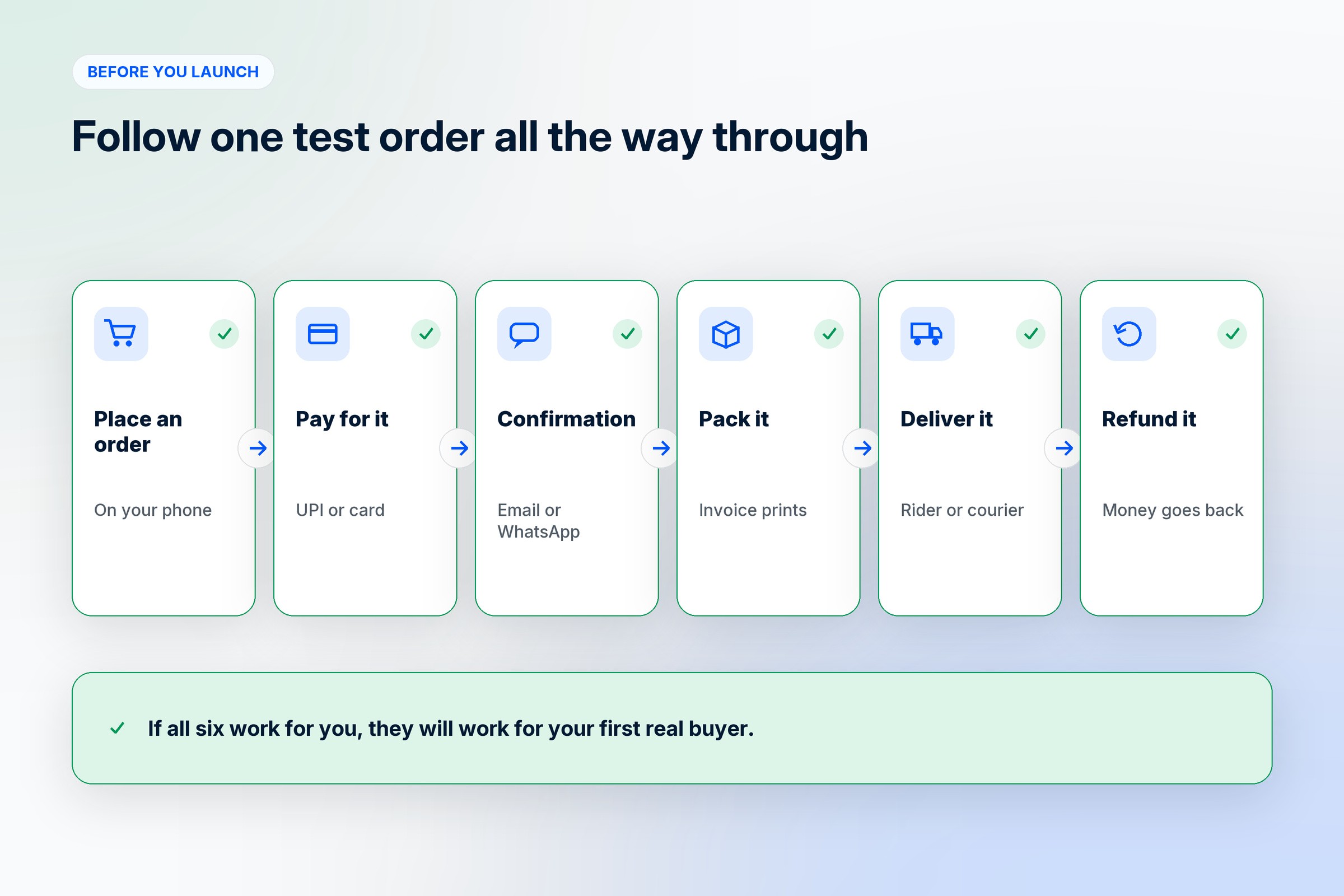
Place an order yourself on a phone, pay for it, and follow it through confirmation, packing and delivery. Check the order email or WhatsApp message, the invoice and the refund flow. Most problems buyers would hit show up in this one test.
9. Launch and tell the people who already know you
Publish the store and announce it to past customers, WhatsApp contacts and your social followers before you spend anything on ads. Their first orders give you reviews, photos and feedback to fix things quickly.
After launch: what turns an online store into a business
An app for repeat buyers: a branded shopping app puts your store on their home screen. 1D2C includes Android and iOS apps alongside the website.
WhatsApp: order updates, cart reminders and replies in the app your buyers already use. See WhatsApp integration for ecommerce.
Regular social posts and ads that send people to your store instead of a marketplace listing.
Reviews and photos from real buyers on your product pages.
Mistakes to avoid when you build an online store
Launching on a free subdomain and planning to move later. Links, reviews and search rankings all point at the old address.
Adding products before setting the design and categories, then reorganising everything twice.
Phone-unfriendly photos and long paragraphs. Most buyers will see your store on a phone first.
Hiding delivery charges until checkout. Show them on the product page or in a banner.
Skipping the test order. The first real buyer should not be the one who finds the broken payment step.
How 1D2C works as an online store builder
1D2C builds your online store on your own domain and gives you branded Android and iOS apps on the same system, so products, stock, orders and customers stay in one place. You can change your store and app design live in EditCanvas, run your own riders with a delivery app, and sell products or services. There is no commission on any order, on any plan. See what the ecommerce website builder includes, or compare plans on the pricing page.
Frequently asked questions
What is an online store builder?
Software that lets you build your own online store without code, with a design editor, product catalogue, cart, checkout, payments and order management in one place, hosted for you.
Why use an online store builder instead of hiring a developer?
It is faster and cheaper to start, and the builder handles hosting, security and updates. A custom build makes sense only when your needs go beyond what any builder offers.
How do I build my own online store?
Pick an online store builder, connect your domain, choose a theme, add your products, set up payments, delivery and tax, write your policy pages, test with a real order and then launch to the people who already know you.
How long does it take to build an online store?
Most of the time goes into products, photos and policies. With those ready, setting up the store itself is quick, and the builder handles the technical parts.
Who should use an online store builder?
Small brands, local shops, home businesses, service providers and marketplaces that want their own store without a development team.
Can I build an online store for free?
Some builders offer free plans or trials, usually with limits such as a builder subdomain, fewer products or transaction fees. For a store you plan to grow, a paid plan on your own domain is usually worth it.
Do I need coding skills to build an online store?
No. An online store builder lets you design the store, add products and set up payments without writing code.
Where can I sell once my online store is built?
On your own website and app, through links shared on Instagram and WhatsApp, and alongside marketplaces if you also sell there.
Where to go from here
To compare tools before you build, read how to choose an ecommerce website builder. For the business side of selling, from picking products to marketing, see how to sell online. And if you are still deciding whether you need a store at all, start with why an online store is important.


