

Pick an ecommerce website builder for the business you will have in two years, not for the template you like this weekend.
An ecommerce website builder is software that lets you create an online store, with product pages, a cart, a checkout and payments, without writing code. You pick a design, add your products, connect a payment gateway and publish.
Most people choose one the way a bakery owner in Bengaluru chose hers: over a weekend, by comparing templates. She picked the one with the prettiest homepage. Three months later her regulars asked for an app, two nearby home bakers wanted to sell through her site, and she started delivering cakes with her own rider. Each of those meant another plugin, another login and another monthly bill. The builder was fine. It had been chosen for the wrong reason.
This guide covers what an ecommerce website builder does, the four kinds you will come across, the questions that matter when you compare them, and when a builder stops being enough.
What an ecommerce website builder does
Under the templates, every ecommerce website builder handles the same core jobs:
A design you can edit, usually through a theme editor with drag-and-drop sections.
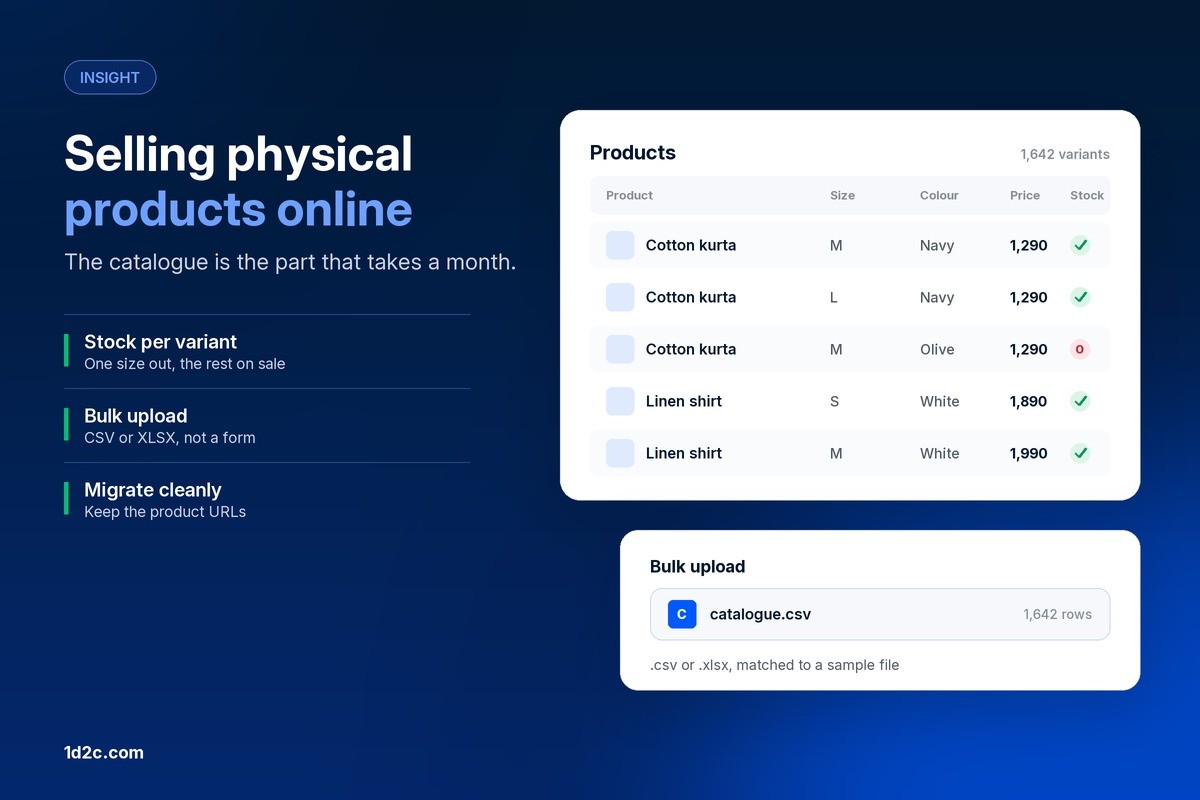
A product catalogue with photos, variants such as size and colour, prices and stock.
A cart and checkout that work on a phone.
Payments through one or more gateways, plus taxes and shipping rules.
Content management for pages, blog posts and banners, so you are not editing code to change a headline.
Basic SEO settings and analytics.
What separates them is everything around that core: how far the design can bend, what it costs once you add the features you need, and whether the store can grow into apps, more sellers and your own delivery.
The four types of ecommerce website builders
Hosted store builders
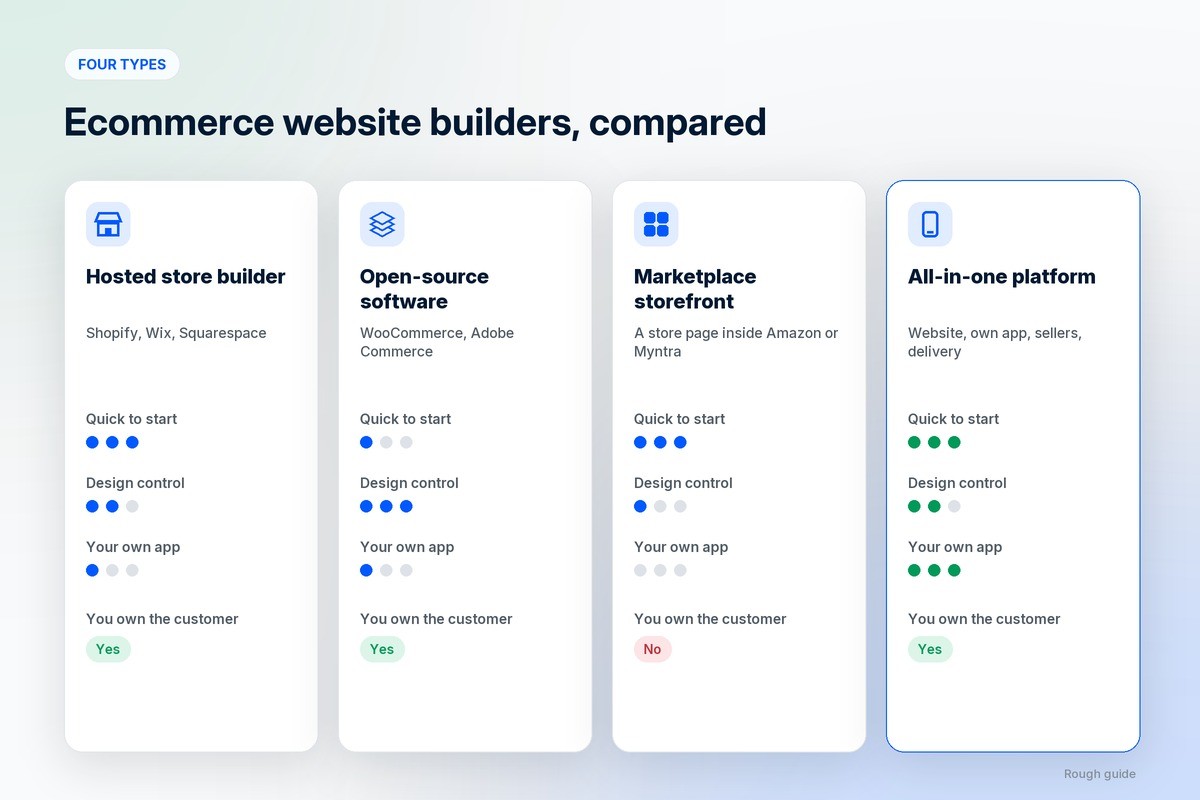
Shopify, Wix and Squarespace are the familiar names. You pay a monthly plan, the builder hosts the site, and you add features through an app store. They are quick to start and easy to run. The trade-off is that anything beyond a single web store, such as your own mobile app or several sellers, usually comes from third-party apps with their own fees.
Open-source and self-hosted software
WooCommerce on WordPress and Adobe Commerce, formerly Magento, are e-commerce software you install on your own hosting. You get the most control and pay for it in upkeep, usually through a developer you keep calling. This route suits businesses with technical help on hand.
Marketplace storefronts
Amazon, Flipkart and Myntra let brands open a store page inside the marketplace. It is quick, and it brings traffic, but it is not your own website. The platform owns the customer and sets the rules. We covered the dangers of selling only on marketplaces separately.
All-in-one ecommerce platforms
These build the website together with the parts a growing business ends up needing: a branded mobile app, seller tools, delivery tracking and marketing. You trade a little of the plugin market’s variety for one system, one bill and one place where every order lives.
How to choose an ecommerce website builder
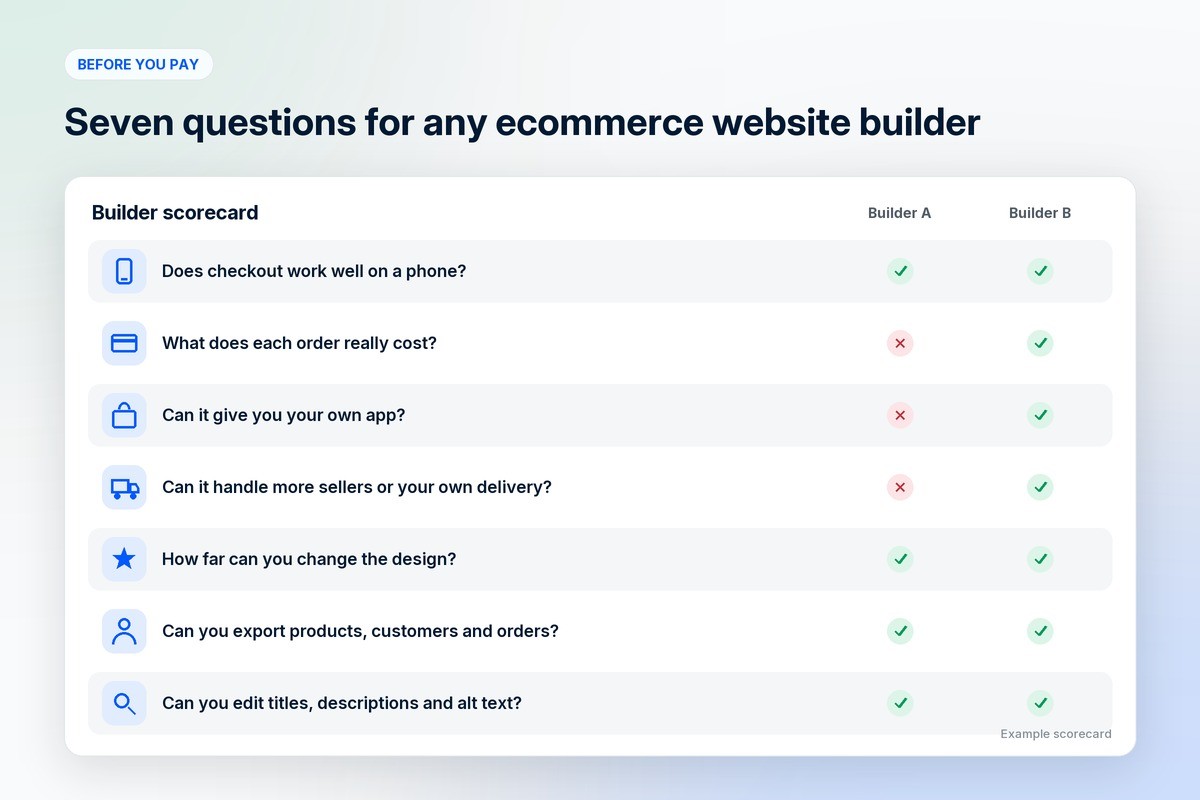
Templates are the least important part of the decision, because every builder has good ones. Ask these questions instead.
Does it work properly on a phone?
Most shoppers will see your store on a phone first. Test the checkout on one: how many taps it takes, whether it remembers details, and whether it supports the payment methods your buyers use, such as UPI or wallets in India.
What does each order really cost?
Look past the plan price. Check payment gateway fees, any transaction fee the builder adds on top, and the paid apps you will need for things it does not do on its own. That total is the real price of the builder.
Can it grow into an app?
Repeat buyers tend to want an app once they buy from you regularly. Find out whether the builder can give you your own branded app with your name on it, or only a listing inside someone else’s shopping app.
Can it handle more sellers or your own delivery?
If other sellers might list with you one day, or you deliver some orders yourself, check whether that is built in. Bolting a multi-vendor plugin or a delivery app onto a single-store builder is where many stores start to struggle.
How far can you change the design?
A theme editor covers colours and fonts. If you want your store to look like your brand instead of like the template, check how much you can change without hiring a developer, and whether the same design carries over to your app.
Do you own your customer data?
Make sure you can export your products, customers and orders at any time. If you ever move, that export is your business.
Will it help you get found?
You need control over page titles, descriptions, web addresses and image alt text, a fast-loading site, and a blog. These matter more for search than any template.
The hidden cost of a cheap ecommerce website builder
A low monthly plan is a starting point, not the total. Over a year, a store built on a basic builder often adds paid apps for reviews, subscriptions, an app builder, a multi-vendor plugin, bookings and delivery tracking, plus design work and the occasional developer. Each one is reasonable on its own. Together they can cost far more than the plan.
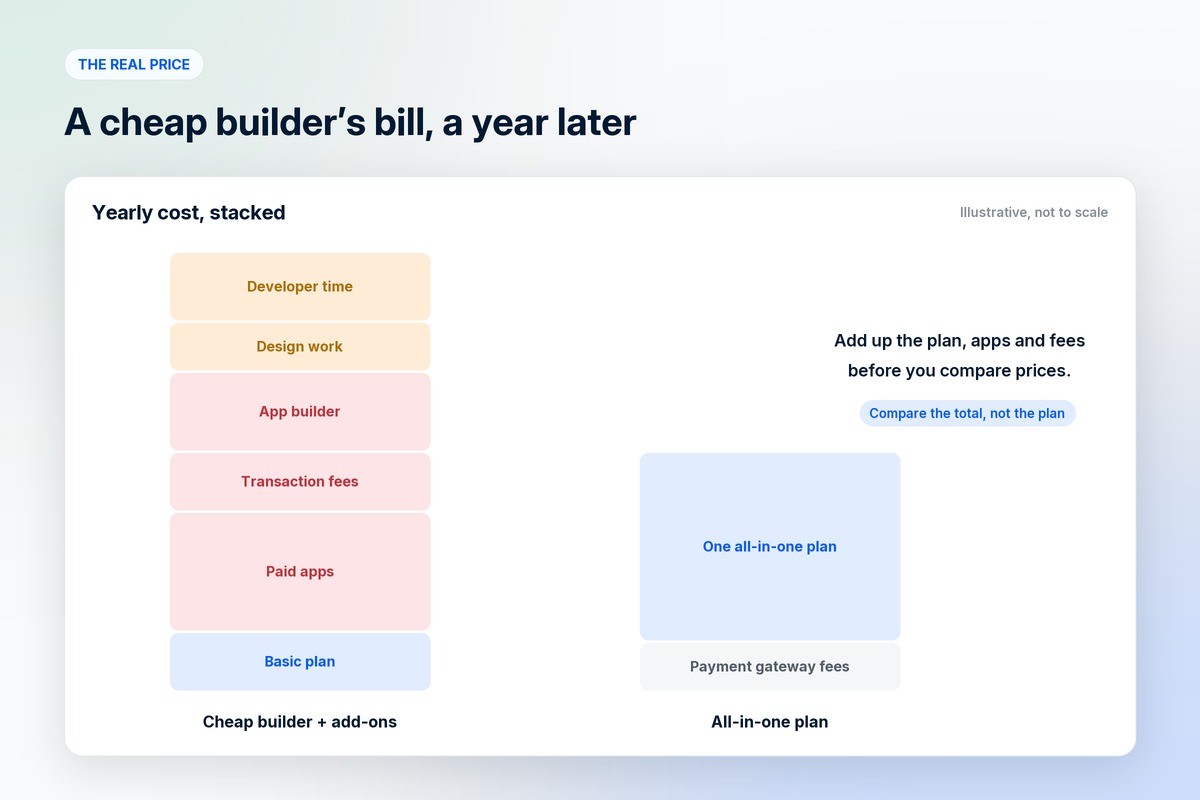
We walked through this pattern in detail in 1D2C vs Shopify. The rule of thumb: add up the plan, the apps you will need in the next year and the transaction fees before you compare prices.
Ecommerce website builder or all-in-one platform?
A website builder is enough when you are a single brand, most sales happen on the website, an app is a nice-to-have, and you ship through couriers.
An all-in-one ecommerce platform for business makes more sense when your customers keep asking for an app, other sellers want to list with you, you run your own delivery riders, or you take bookings as well as orders. At that point, the cost and the effort of joining separate tools usually outweigh the flexibility of the plugin market.
How to build an online store with a website builder
Choose your builder using the questions above, and buy a domain that matches your brand name.
Add your catalogue with clear photos, honest descriptions, sizes and stock.
Connect payments and set up shipping rates and taxes.
Write your returns, shipping and privacy policies.
Install analytics and ad tracking before you spend anything on traffic.
Test a full order on your phone, including a refund, then launch.
Before any of that, it is worth working through the 7 things to do before you start an ecommerce brand, and the common mistakes in why an online store is important.
How 1D2C compares
1D2C is an all-in-one platform rather than a template builder. It builds your website and your own branded buyer app, with seller and delivery apps for running orders, and EditCanvas lets you change your app’s design in real time. No commission is taken on any order, on any plan. Plans are on the pricing page. Everything it includes is on our ecommerce website builder page.
Frequently asked questions
What is an ecommerce website builder?
Software that lets you create and run an online store without writing code, with a design editor, product catalogue, cart, checkout, payments and order management in one place.
Why use an ecommerce website builder instead of hiring a developer?
It is faster and cheaper to start, and you can change products and pages yourself. A developer makes sense for custom features, but most stores do not need one to launch.
How much does an ecommerce website builder cost?
A monthly or yearly plan, plus payment gateway fees, any transaction fee the builder charges, and paid apps for features it does not include. Add all of them together before you compare builders.
Which ecommerce website builder is best for a small business?
The one that fits where the business is going. A single brand selling mainly on the web can do well on a hosted store builder. A business that needs an app, several sellers or its own delivery is better served by an all-in-one platform.
Who should choose an all-in-one platform instead of a website builder?
Businesses whose customers want an app, that host other sellers, run their own delivery riders or take bookings. These are the features that turn a simple builder into a stack of separate tools and bills.
When should I switch to a different ecommerce website builder?
When the apps and fees you have added cost more than the plan itself, when you need an app or more sellers and the builder cannot provide them, or when you cannot get your customer and order data out easily.
Is a website builder good for SEO?
Most are, as long as you can edit page titles, descriptions, web addresses and image alt text, publish blog posts and keep the site fast. Check those controls before you choose.
Where to go from here
If you are still deciding how to sell, start with what ecommerce is and what D2C means. If you are comparing builders right now, our 1D2C vs Shopify comparison goes line by line. And if you want the store, the apps and the marketing built as one, plans are on the pricing page.